I already wrote the article on my custom Vue sockets library, and in that post, I discussed my interest in streaming tech:
Since the pandemic started I started watching more and more live streamers on YouTube and sometimes Twitch. While I don't plan on streaming my self (yet), I got interested in the tech stack used. One comment that came up over and over was how Twitch had better integrations for chat to interact with the stream, using a system they call redeems. I decided I wanted to build a solution for YouTube which gives a twitch like experience.
My tech stack of choice was to use an Electron App that runs an ExpressJS server on the backend / localhost. It would server Widgets that could be loaded in to OBS (the software streamers use to broadcast). But I needed way for the main application to talk to the widgets. The obvious choice is to use Websockets over localhost.
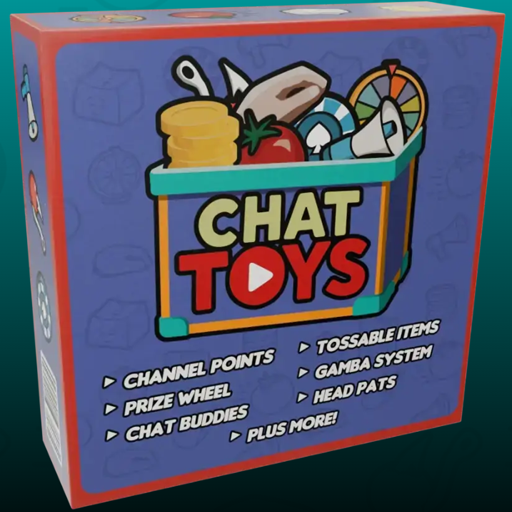
The project I ultimately came up with is called Chat Toys, and I'm extremely proud of my work here.
When I was at Nike I spent the latter half of my time there working exclusively in ElectronJS with Vue3 for the framework, and ThreeJS for rendering. While I'm also incredibly proud of the work I did there, I unfortunately cannot share that with the world. When I became unemployed, I decided I wanted a project to capture everything I had learned at Nike & present to the world. While it was all fresh in my head, I hit the ground running and started developing an desktop app that streamers could run along side their OBS software.
The concept was simple:
The desktop app would run and provide some widgets served on localhost that streamers could capture in OBS via the Browser Source feature
Widgets could be programmed in Vue like the main app, and speak to the App over web sockets
The main app would read YouTube and Twitch comments and look for commands like
!getor!patto trigger actions and update the state of the widgets over in OBS landThe heart of the app would be a channel points system like Twitch. Periodically a widget would appear on the streamers screen prompting them to type
!get. Any chatter that does so would earn points stored in a local database on the streamers computer.They could then spend those points on more advanced features, like
!spinto spin a prize wheel or!rainto make emojis rain down on screen.
Over the next couple months I knocked together a prototype, and then eventually a full fledged polished desktop app.
I decided to call it Chat Toys, as it provides a number of widgets (toys) that chatters could interact with.
The toys themselves all derive a Toy base class, and can provide things like settings and theming. The app looks over the list of Toys and automatically provides UI for them to be configured and added to stream.
Over the year since conception, I've added a number of new Toys, and the list keeps growing - I have ideas for several more. At the time of writing, we Chat Toys currently provides many widgets:
Channel Points - the aforementioned heart of the system; allows users to collect points to spend elsewhere
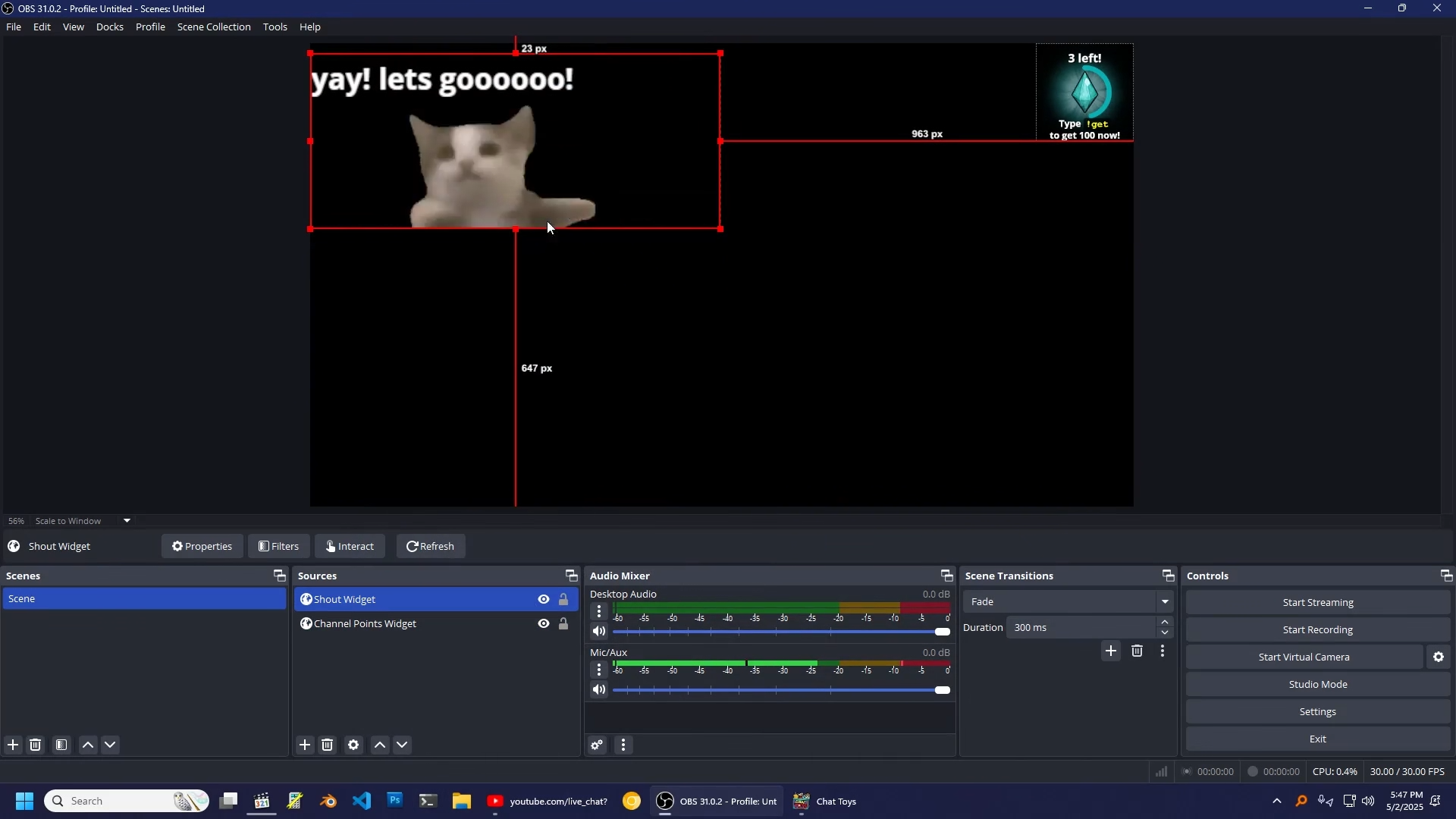
Media - allows the streamer to set up a number of PNGs, Gifs, or sound effects that chatters can call up on screen at opportune moments
Tosser - similar to "TITS" (Twitch Integrated Throwing System), this allows YouTube chatters to toss various 3D objects or emojis at the streamer
Chat - shows the live chat on screen, along with their points next to their name, and optional system messages from the Chat Toys system
Shout - like super chats, but spending channel points instead of money. Shows a message on screen with optional sound effects
Prize Wheel - allows chatters to spin on on screen prize wheel
Gamba - similar to Twitch Predictions, chatters can bet their channel points on outcomes the streamer set sup
Head Pats - chatters can use
!pator!bonkto give the streamer head pats or head bonksStream Buddies - shows 3d animated avatars for chatters on screen that provides several more interactions
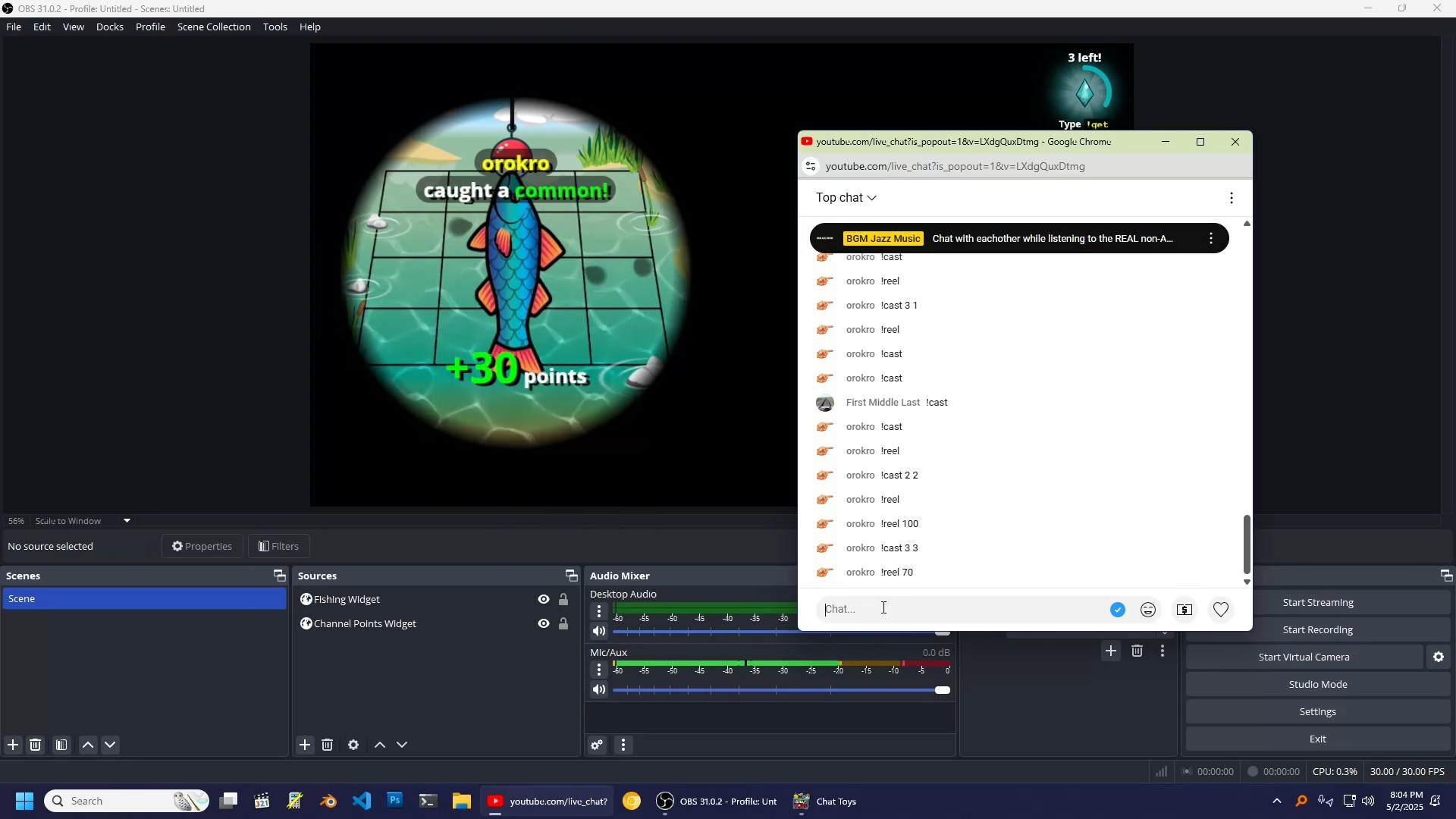
Fishing - a mini game that shows an interactive fishing pond on stream, allowing chatters to idlily fish while the stream is live
Frequency Finder - detects words that chatters are using frequently and displays them on stream, like "lol x3"
Karaoke Queue - during a Karaoke stream, chatters can suggest songs that go into a queue the streamer can accept or deny. Optionally provides a widget to play the recommended songs in an on stream widget.
Emoji Fountain - allows emojis to fountain or rain down on screen
Horse Racing - a fun minigame where chatters can race as horses against each other by trying to eat carrots. Non players can bet their channel points on the racers
The system also provides some meta-toys, called Tools:
Points 4 SuperChats - allows the streamer to reward channel points for super chat donations
Widget Group - allows the streamer to combine multiple widgets into one OBS Browser Source
Output Log - primarily for debug, it shows the output of various commands as they're run
Check out this video to see the app in action!
You can find the main home page here:
https://orokro.github.io/Chat-Toys/
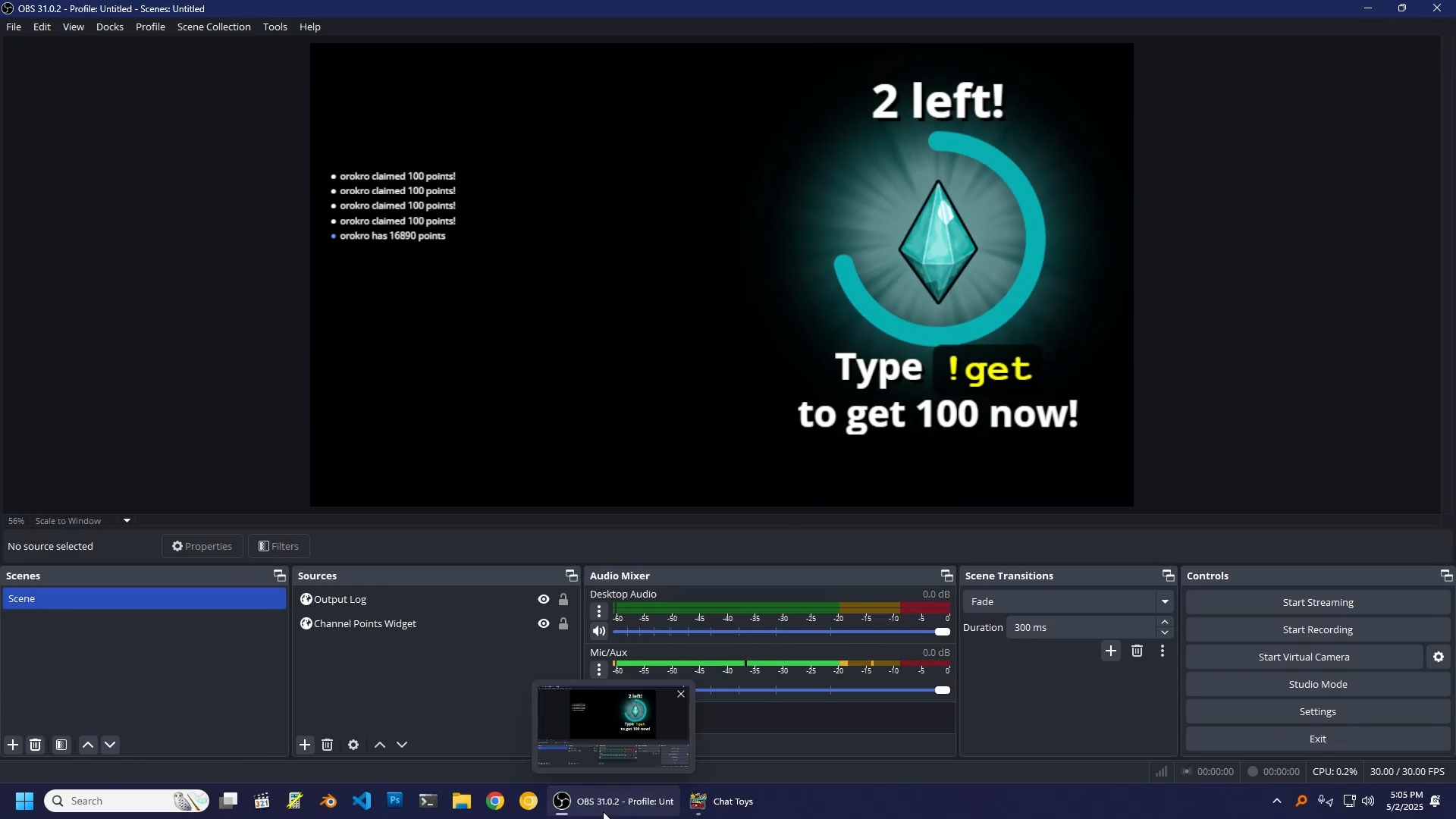
An example of the Channel Points widget running in OBS - you can see there's a countdown timer and ring around the outside of the widget. It's completely customizable in software, including the color, graphics, and text shown. Obviously it wouldn't be this big on stream, but it's big for demonstration purposes:
An example of the Electron apps interface for customizing the Channel Points widget:
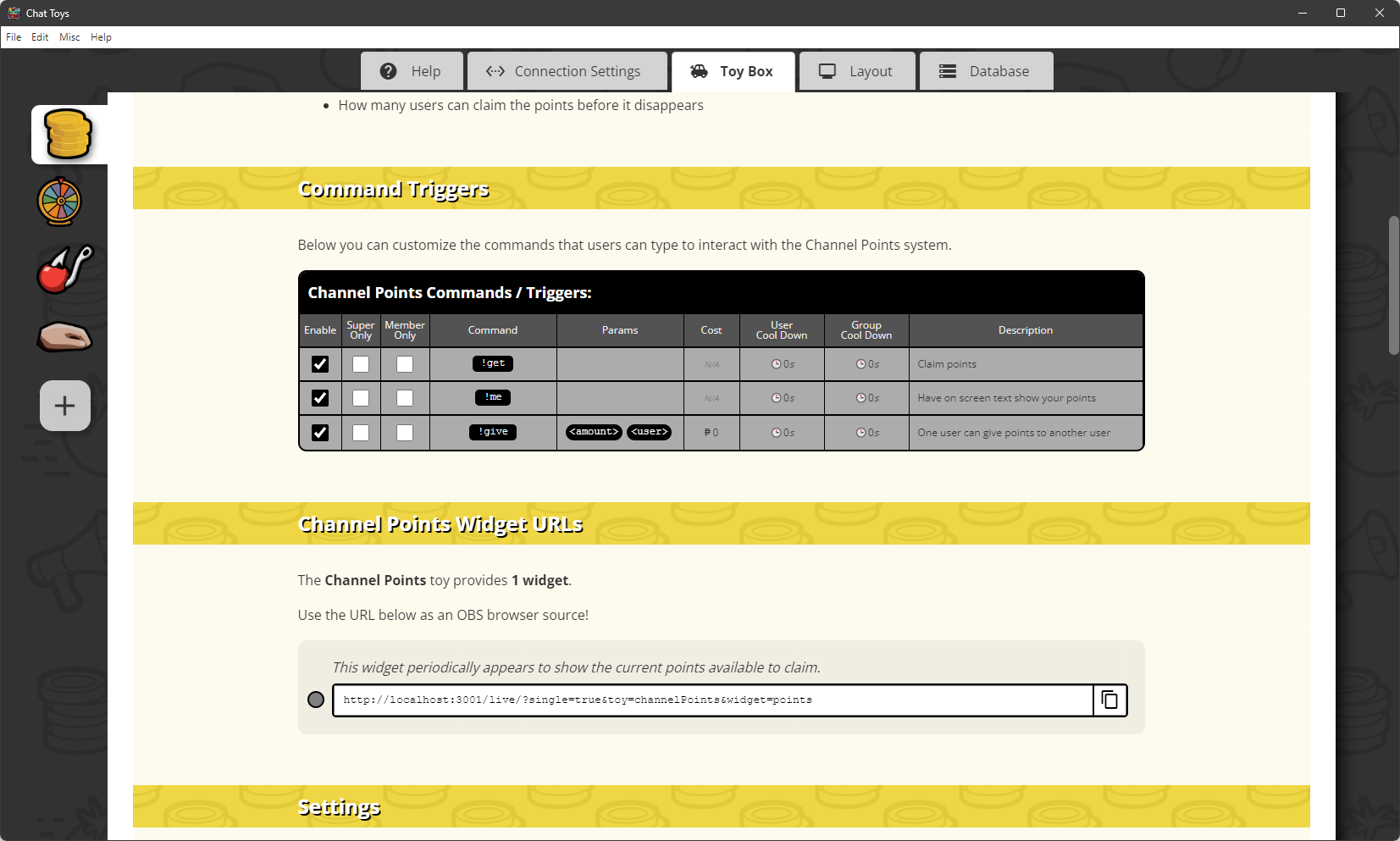
Above you can see there's a number of main tabs along the top, and then side tabs for each page, for the enabled toys, connections, help topics, etc.
You can see that the Channel Points toy provides three commands:
!get- gives the users points if they use it while the widget is on screen!me- displays the users total points in chat!give- allows users to give points to each other
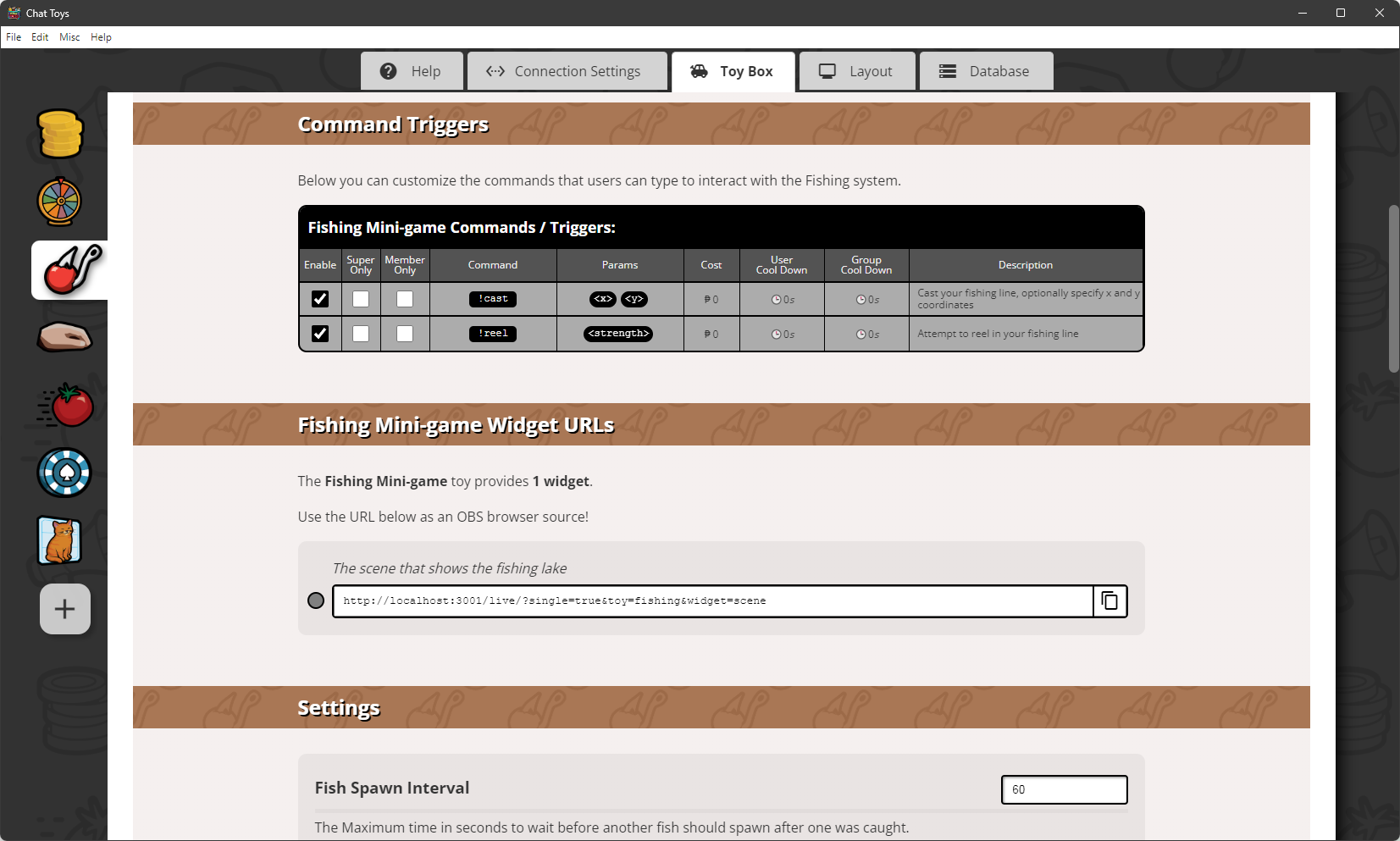
Below that you can also see the local host URL that is generated for the widget - streamers can just copy & paste this link and use it as an OBS Browser Source, and that's it! As long as Chat Toys is open, the system will be managing the toy for their stream.
Below is an of the fishing widget - it can be placed anywhere on stream and chatters can !cast <x> <y> or !reel <strength. to try to catch fish:
And any example of configuring the fishing toy:
Below is an example of the media widget in action, showing a cute cat gif set to a customizable !yay command:
So far I've had a few streamers use chat toys and chat really seemed to enjoy it. One streamer has it on full time now!
I really enjoy working on this project, and I have many ideas of features to add, so I'm gonna keep pushing it to 1.0 and hopefully release it on Steam soon!